All Projects
Project Overview
Click any project to jump to its full case study below.
A closer look at the research, design, and development behind each project — from first insight to final prototype.
Click any project to jump to its full case study below.
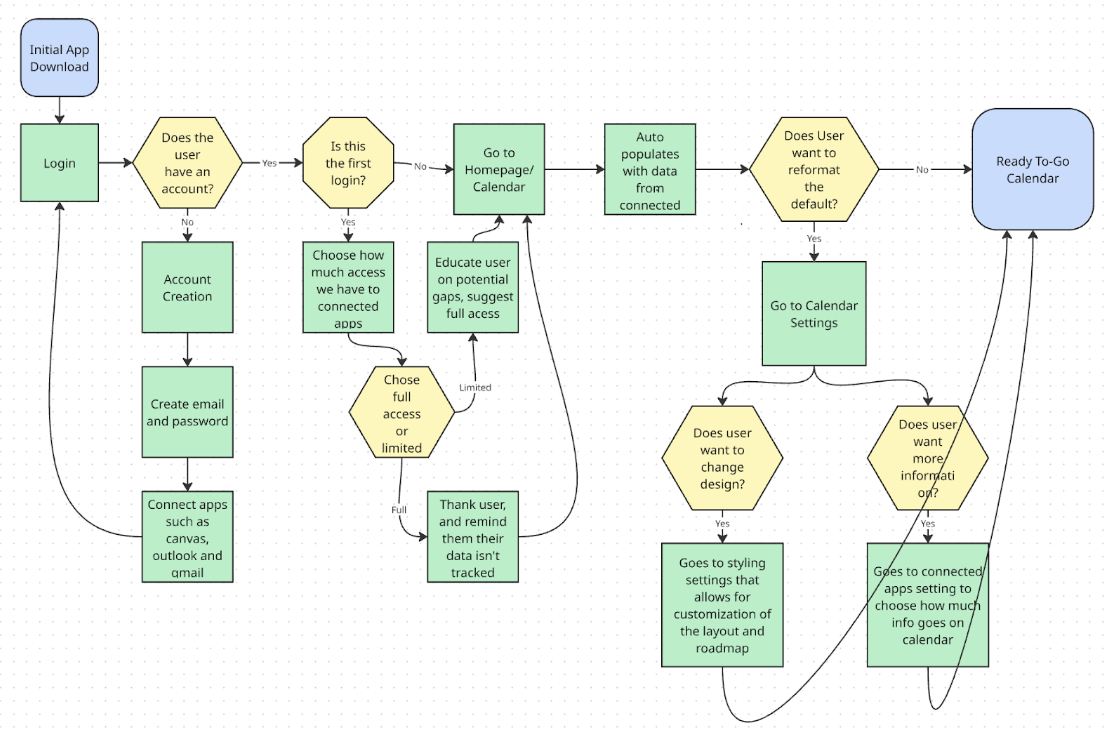
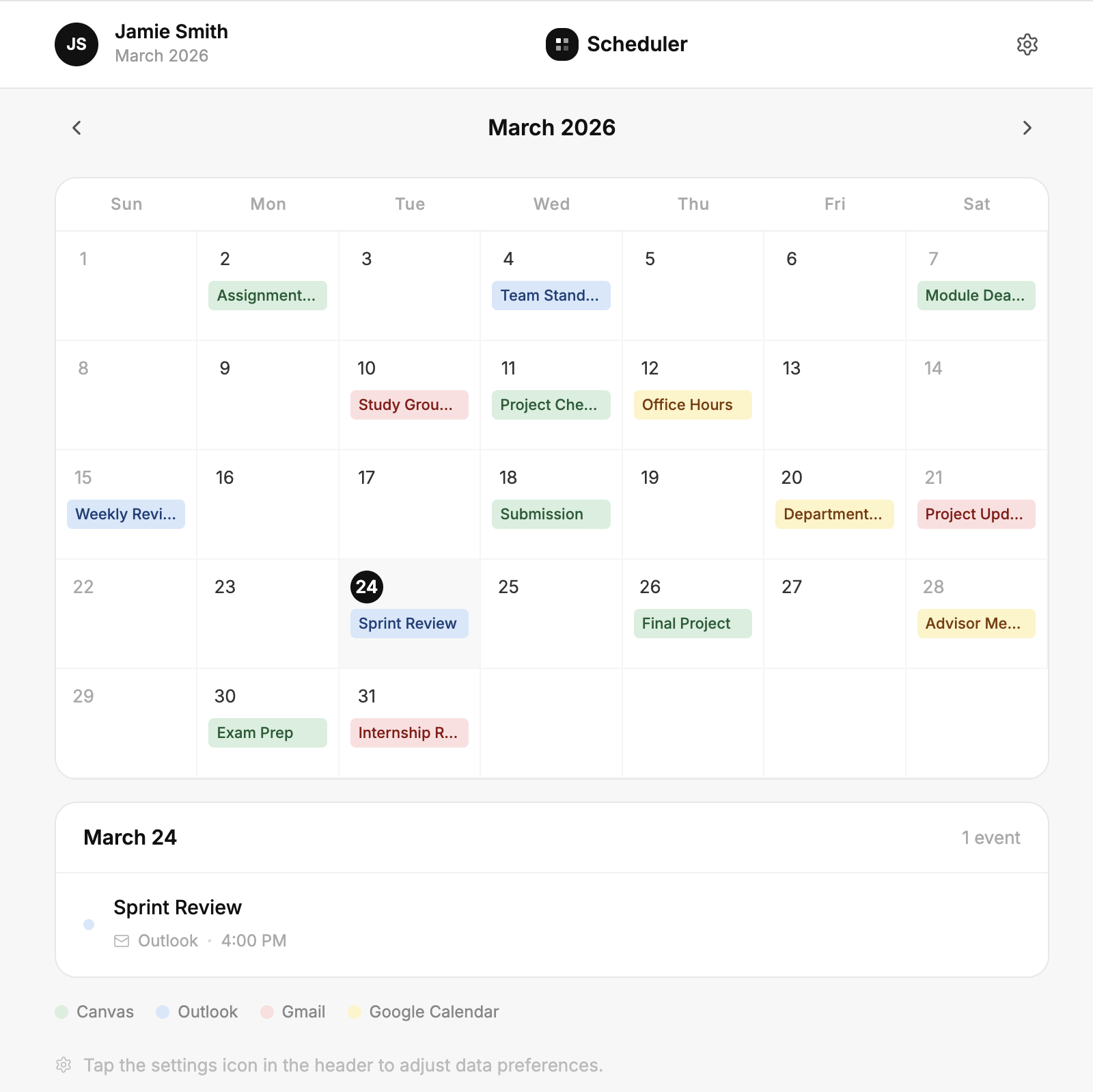
Throughout this project we conducted user research and testing to develop a prototype of a scheduling app that would improve the average college student’s life.
I was motivated to make an online platform like Scheduler because I believe the technology we use should make our lives simpler, not add another thing to learn. Making Scheduler allowed for me and my group to conduct real interviews and surveys and make a product that students would enjoy using. By streamlining the scheduling process it would help all students — including me.
By creating an app that helps busy college students stay on top of their health, school schedule, work schedule, and personal time — this app will be able to reduce the stress levels in the average student by streamlining all of the busyness of their life.
Our surveys provide breadth and depth by gathering input and patterns from students about stress, confusion, organization, and keeping up with deadlines. Interviews provide depth by providing more insight into the students’ individual experiences, frustrations, and decision processes as they maneuver between different platforms. We selected our methods because we believe that each one of our methods builds off of each other and provides a different level of user information. For example, we are receiving both secondary and primary sources of information. Our interviews and surveys allow us to measure primary information directly from potential users. While our observations and IDEO road mapping allow us to make inferences on how people use different programs. All of these combined create a competitive overview of our desired demographic.
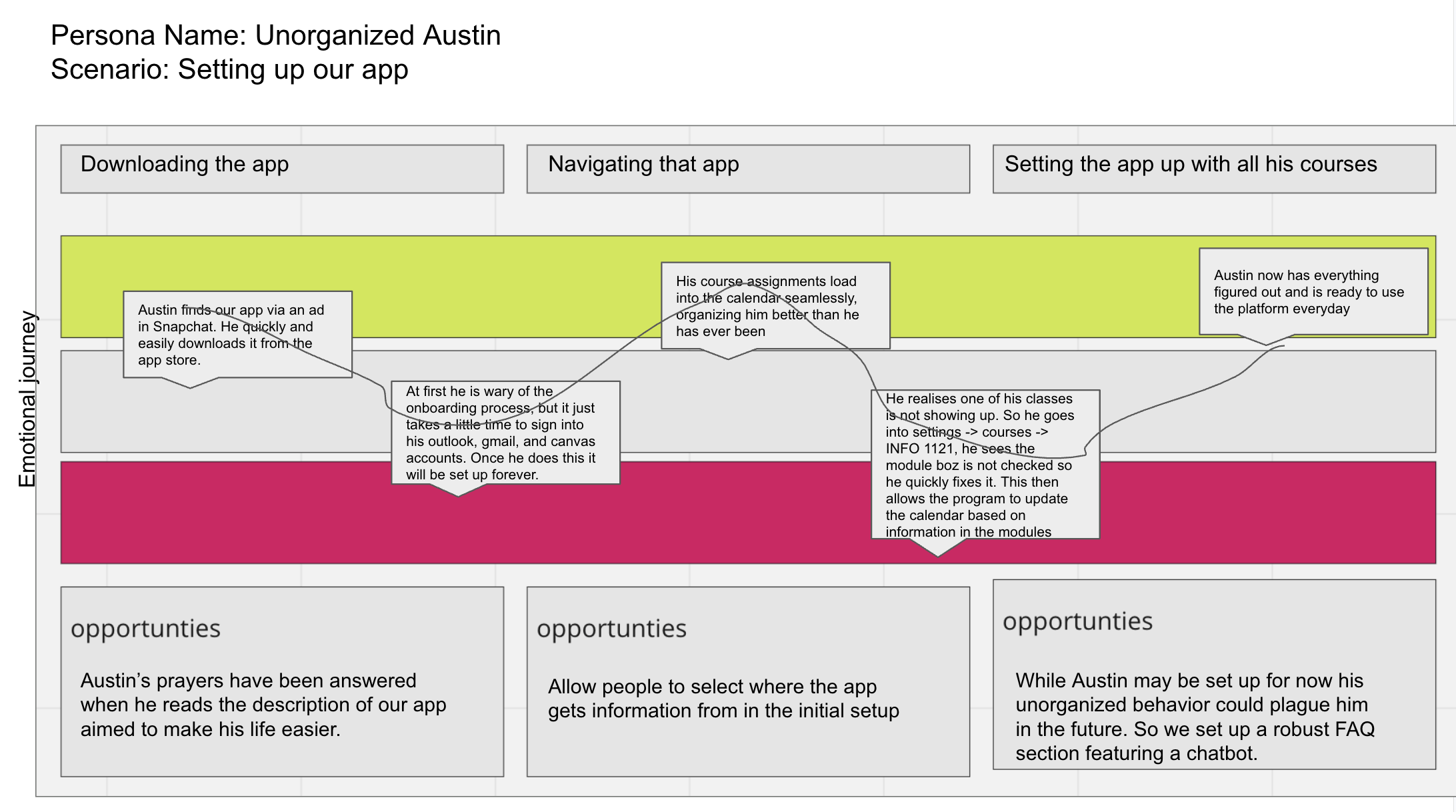
Unorganized Austin
CS Student · CU Boulder · Works at Target
“Canvas is extremely confusing as my professors tend to not put all assignments on there.”
Austin has a lot on his plate with many courses and a job. He finds Canvas to have a confusing interface combined with teachers not putting all assignments in one place. He doesn’t have time to organize his assignments into a separate planner, causing him to be disorganized as a whole.
Motivated to do his best as the first in his family to go to college. Needs a way to stay organized while balancing school and work payments.
Tries new organizing methods but they rarely stick because most planner tools require too much time to maintain. Needs something simple and immediate.